Fig. 02
The button that does nothing
A dashboard makes claims about machines it can't see. How to make every claim true or visibly unsure, buttons included.
You’ve seen a dashboard say everything is fine while the thing it describes was switched off. Maybe you’ve also pressed a button on one that did nothing: no error, no spinner, no log line, nothing to tell you whether to press it again or go and look. Both happened to me on the same small dashboard, more than once, each time in a new disguise.
This entry is about remote state: what a screen can honestly say about a machine it can’t see. The running example is a home server (a NAS with two disks and some services in Docker) reporting to Home Assistant over MQTT. The problem itself is everywhere: status pages, monitoring panels, the app that shows whether your car is locked.
It matters because a dashboard that’s wrong is worse than no dashboard. You stop checking the real thing, because the dashboard checks it for you. And it can be wrong in four distinct ways: it shows an old copy as if it were current; it goes on repeating the last thing a dead machine said; it can’t tell “nothing is wrong” from “I couldn’t check”; and its buttons send commands that nobody hears.
By the end you’ll have one principle and six rules that follow from it, each learned from a failure you can reproduce in the figures below. The principle: a dashboard is a set of claims about a machine you can’t see, so make every claim either true or visibly unsure, and that includes the buttons. Every figure is the real dashboard and the real code beside it. You don’t need to know MQTT or Home Assistant; if you’ve written code that talks to another machine, you have enough.
1. A dashboard is a copy
What a dashboard shows you isn’t the machine. It’s a copy of a message the machine sent, and the copy has an age.
The NAS doesn’t let anything log in to it from Home Assistant’s side, and I wanted to keep it that
way. So Home Assistant can’t ask; the NAS has to tell. It does that over MQTT, a small protocol
built around a broker: clients connect to it, publish messages on named topics, and
subscribe to the topics they care about. The broker passes each message on to every
subscriber. The NAS connects out to the broker as an ordinary client, with a login that can’t do
anything else, and every 60 seconds it publishes one JSON document on homelab/status: pool
health, each disk’s SMART readings, containers, backups, certificates. Home Assistant subscribes,
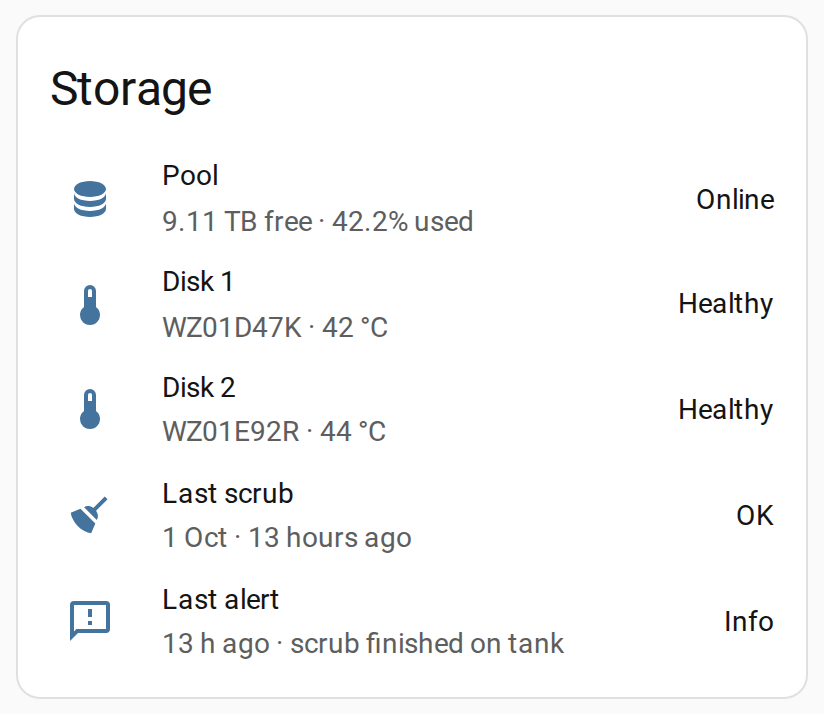
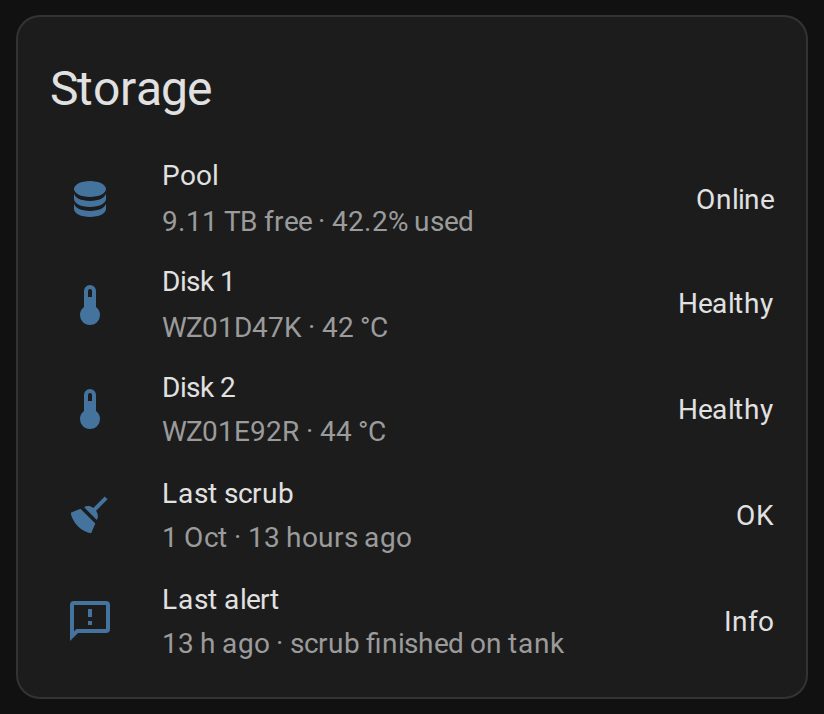
and each line on the card below is a field picked out of the latest document.
Fail a disk and watch what reaches the card, and when.
A still. The live version of this figure needs JavaScript.
The card didn’t change when the disk failed. It changed at the next publish, up to a minute later, and the code panel shows why: the loop reads the pool, publishes, and sleeps. Home Assistant never asked the NAS anything. Everything the card says is a quote from the last message, and “last heard from the NAS” is how old that quote is. A copy that’s at most a minute old is fine for disk health. It wouldn’t be fine for a door lock, and the first question for any dashboard is how old a copy can be before it starts to mislead.
A copy also has to be chosen, because every row is a claim someone will act on. The status document carries much more than the card shows, and each field was sorted by one question: does this ever change what I do? Pool health, SMART problems, disk temperature and free space are alert-grade: when they go wrong they must be impossible to miss, so they color the card. Things like CPU load and the last scrub earn a quiet place, worth a look when something feels slow. Some fields never appear at all. A disk’s power-on hours only go up and never imply an action. The count of pending system updates is effectively never zero, and a number that is always non-zero becomes wallpaper and trains you to ignore the card it sits on.
So the copy in Home Assistant is current enough and small enough to be read. But it lives in Home Assistant’s memory. What happens when Home Assistant restarts and the memory is gone?
2. The last word stays
A copy that lives in memory dies with it. When a new subscriber arrives, it needs the current state now, not at the next publish, so the broker has to remember, and MQTT has a flag for that.
A message published with retain set is kept by the broker: one per topic, replaced by the next. Whoever subscribes later receives that copy immediately, before anything new has been published. Home Assistant restarts for every upgrade and for some configuration changes, so it’s a subscriber that arrives often. Restart it with and without the flag.
A still. The live version of this figure needs JavaScript.
With retain on, the card is back the moment Home Assistant is: the broker hands over the two copies it kept. With retain off, the pool reading comes back at the next publish, but the card stays gray. Look at the broker column: availability is published once, when the NAS connects, and a message said once and not retained is gone for anyone who wasn’t listening at that moment. The NAS won’t say it again until it reconnects, which could be weeks.
The rule that falls out of this is about what kind of message you’re sending. State is
retained; commands and events aren’t. A command published with retain is replayed to the
receiver every time it reconnects, so a stop pressed once would stop the service again after
every restart. (One of the NAS’s services now refuses any command that arrives with the retain
flag set, and publishes the refusal.) An alert published with retain reads as a fresh failure every
time Home Assistant restarts. I learned that one when a failed update, fixed by hand the night
before, was redelivered sixteen hours later and paged me in the middle of an update that was
going fine.
Retain gives the dashboard a memory that outlives restarts. It also means the broker will go on handing out a machine’s last words after the machine itself is gone. What does the broker say about a server that isn’t there anymore?
3. Silence isn’t health
A machine can stop in two ways. One says goodbye; the other, the one that happens in real outages, says nothing at all, and the dashboard has to tell them apart.
When the publisher is stopped cleanly, its last act is to publish offline on
homelab/availability. Every sensor in Home Assistant lists that topic as its availability, so
they all turn unavailable and the card goes gray. That’s the path you test without trying,
because systemctl stop is how you’d normally stop it. A crash, a power cut or a kill -9 takes
the other path: the process is gone before it can publish anything.
Try it both ways. Then turn off the will_set line and find a way to make the card show a
healthy pool for a machine that’s off.
A still. The live version of this figure needs JavaScript.
Without the will, a crash leaves the card exactly as it was: the retained status says ONLINE,
the retained availability says online, and nothing will ever replace them. “Last heard” counts
up, but the card doesn’t show it, and nobody looks at that number while the card is green.
A Last Will is a message a client hands the broker when it connects: “if I disappear without
saying goodbye, publish this for me”. The NAS’s will is offline, retained, on the availability
topic, so the broker speaks for it when it can’t speak for itself. The broker notices the dropped
connection and publishes the will; on the real NAS, kill -9 turned the card gray in about three
seconds. On the Home Assistant side, nothing special is needed; each sensor already declares the
topic that decides whether it’s believable:
# Home Assistant: packages/nas.yaml (excerpt)
- name: "Pool Health"
  state_topic: homelab/status
  availability_topic: homelab/availability
  value_template: ""
Two things are worth knowing before you add a will to your own client. First, test it by crashing, never by stopping: a clean stop runs the goodbye code, not the will, so a will that was never set up passes every clean-stop test you’ll ever run. Second, the will fires whenever the broker loses the connection, for any reason. A diagnostic run of the publisher once connected with the same client name as the running one; the broker allows one connection per name, so the two took the session from each other, and every takeover fired the will. Availability flapped once a second for two hours. The will was doing its job; the bug was a script that didn’t reject a flag it didn’t know.
The availability topic now tells the truth. But the card doesn’t print topics; it runs templates over them. Can a template still turn “I don’t know” into “all good”?
4. Unknown is a value
“Nothing is wrong” and “I couldn’t find out” are different answers. Most code represents both as something empty, and most dashboards then draw both as fine.
The status document lists the containers that should be running and aren’t, in down. When
everything is running, that’s []. When the publisher couldn’t ask Docker, it’s null. In
Python, JavaScript and Home Assistant’s templates alike, both are falsy, so a careless if down
reads a broken check as a healthy stack. The publisher’s own comment warns about the one-word
shortcut that would merge them. Pick what Docker answers, and try adding the shortcut.
Interactive figure — needs JavaScript.
Without the shortcut, a failed Docker call travels all the way to the dashboard as null, and
the card’s template gives it its own branch: “Container state unknown”. With the shortcut, the
same failure arrives as [] and the card says “All running”. Nothing errors, nothing logs, and
the dashboard is confidently wrong at exactly the moment something has gone wrong.
The same mistake can happen one layer up, in how a card colors itself. The first draft of the NAS cards colored each icon red if any problem sensor was on, and green otherwise. I found the flaw by rendering the cards before the sensors existed: all five drew green. Try the four situations the card has to survive.
Interactive figure — needs JavaScript.
The first draft asked one question, “is anything reporting a problem?”, and a sensor that is off, unavailable or missing all answer no. The three-state version asks “is the NAS reporting at all?” first and draws gray when it isn’t. Gray outranks red on purpose: when nothing is reporting, “no data” is the true statement, and a red icon would assert a fault nobody measured. The card’s own template follows the same order, and the one row that reports liveness does the opposite and turns red when the NAS is down, so a gray card still says why in one place.
The mistake has a mirror image, too. A container that only runs on demand used to count as “down” whenever it was resting, so the containers problem sensor was permanently on with nothing wrong. An indicator that’s always red stops being read, and the day something real joins it, nobody looks. The fix was a third category, “deliberately stopped”, which isn’t a fault and is still reported as a fact. Everything so far has been about what the dashboard says. A button says something too: “press me and something will happen”. What if nothing is there to make it happen?
5. A button is a promise
Controls make claims too. A button on a dashboard says that something is listening, so it needs the same care as a readout, plus an answer after it’s pressed.
Each container gets an entry on Home Assistant’s own Updates page: the installed version, the
latest one, and an Update button. Three design choices sit behind that button. A separate
updater service does the installing, so the process that reads the disks can’t also restart the
stack; one bug or one leaked password shouldn’t turn a dashboard into a remote control. The
command carries no parameters: the payload is the word install, and which container is decided
by the topic it arrived on, matched against a fixed list, so nothing from the message reaches a
shell. And pressing it runs the same script as a manual update (back up, pull, restart, wait for
ready, verify) so there’s one upgrade path to trust.
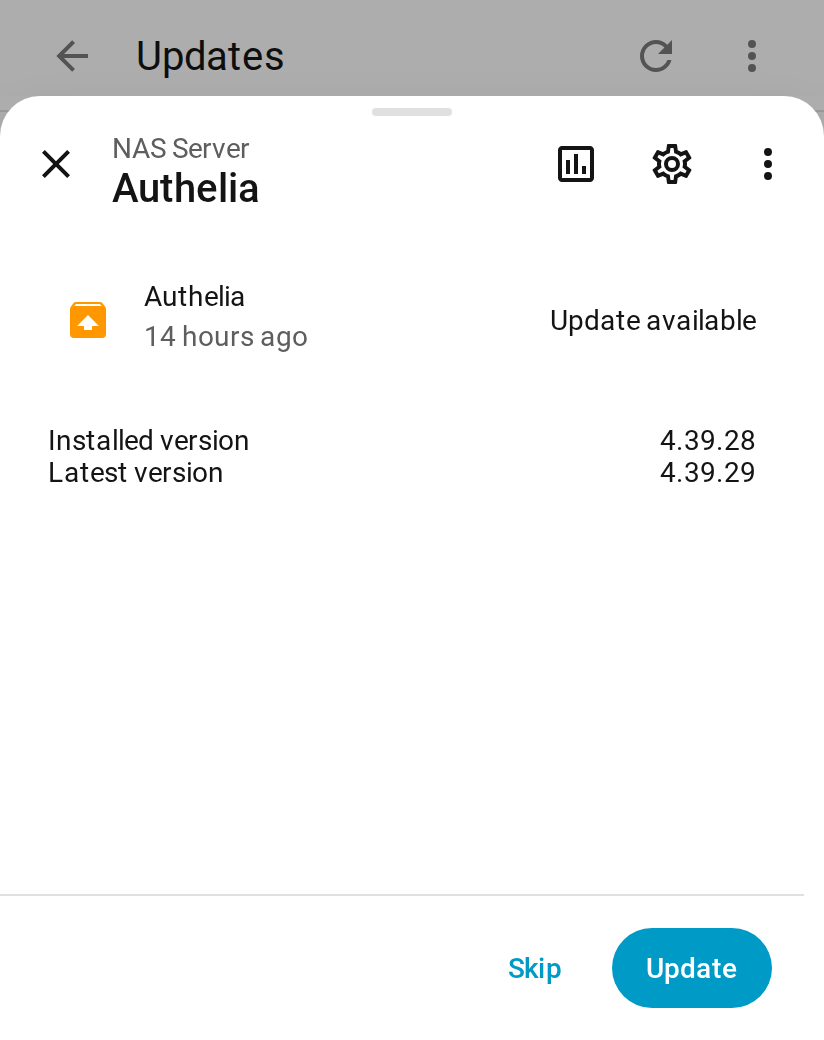
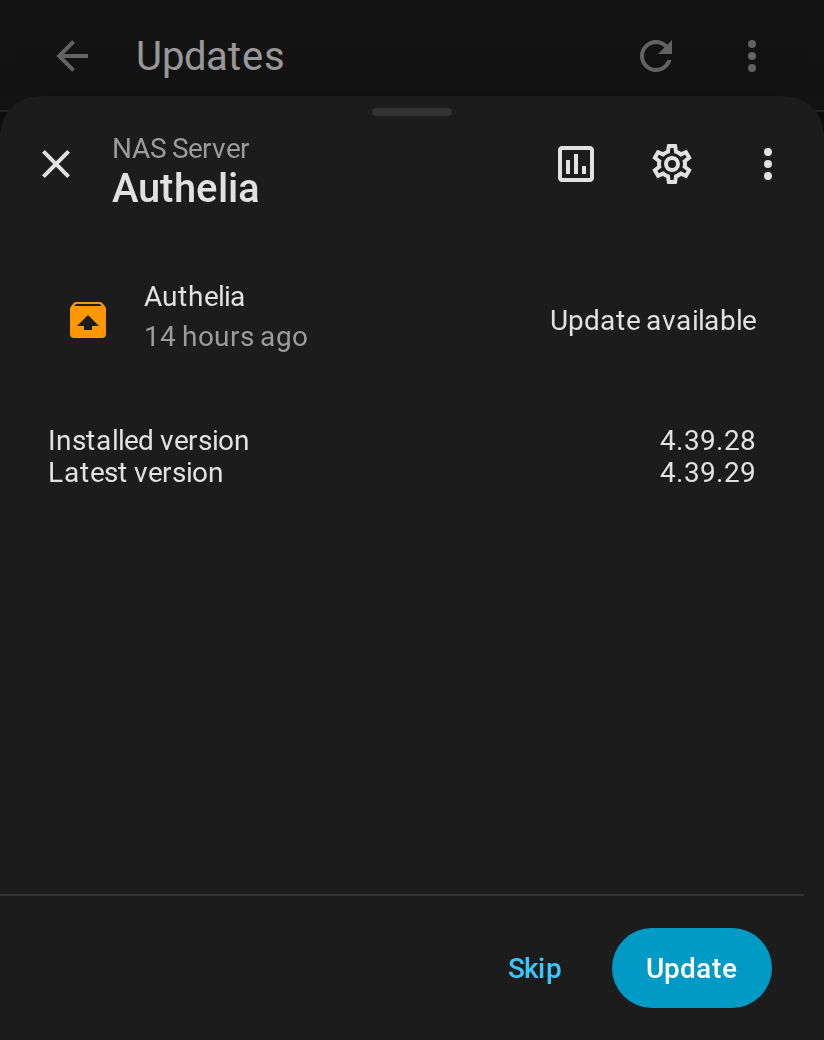
Then the button did nothing. The updater had died. Its availability topics were
retained online with no will behind them, so Home Assistant kept offering a live button, and
an MQTT publish with no subscriber succeeds: no error, no log line, nothing anywhere. Kill
the updater and press Update.
A still. The live version of this figure needs JavaScript.
With two sources, the dialog can’t tell that the updater is gone, because neither of its topics
has a will. The updater did have one, on its own service_availability topic; the entity
didn’t listen to it. Adding it as a third source, with availability_mode: all, means the button
exists only while all three say online. Kill the updater now and the broker publishes its will,
and the dialog says “unavailable” instead of offering a button. “The button does nothing” was the
least diagnosable form a dead service could take, and it lasted ninety minutes before I noticed.
The other half of a promise is the answer. An update entity has nowhere to report a result, so
a failed install looked exactly like one nobody had pressed. Results now go to their own retained
topic, homelab/updates/last_result, and the reason goes first: the update script prints its
checks to standard output and its failures to standard error, and the first version sent only
standard output. That produced an alert of eight lines saying “OK” and a bare “update failed”,
with the cause cut off below. A press deserves a visible answer, and the answer should start with
the part you need.
One card on the dashboard has every one of these problems at once: a service that can die, a state that ages, a button that might not be heard, and a value that must sometimes say “nothing”. What does it look like when all the rules apply together?
6. All of it in one card
The last section puts every rule on one small card. Claude Code’s Remote Control server runs on the NAS, so I can reach coding sessions for these repos from my phone, and it has a single card on the dashboard with a sign-in flow behind it.
The card is designed by subtraction. Health is the icon color (green, amber when an update is waiting, red when signed out, gray when the NAS isn’t reporting), and a status word appears only when something is wrong: a healthy service says nothing. The account and plan were dropped, since they can’t be anything else. Update exists only when a newer version is installed than the one running, and asks first, because it interrupts live sessions. Sign in exists only when the login has lapsed or is about to, and it opens a pop-up, because a box for pasting a code means nothing outside a sign-in. Opening the pop-up is what starts the login: the sign-in link lasts fifteen minutes, so it’s made when someone arrives for it, never in advance. And there’s no confirmation inside the pop-up, because opening it was already the decision. Press Sign in, then close the pop-up and open it again.
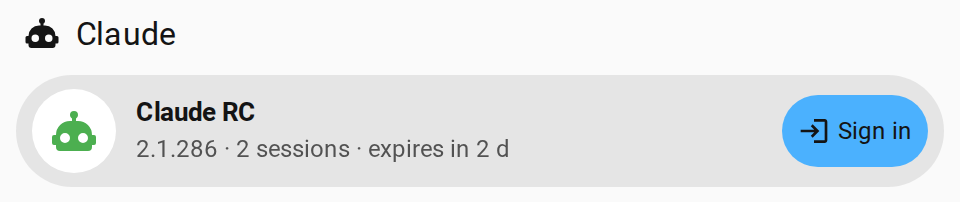
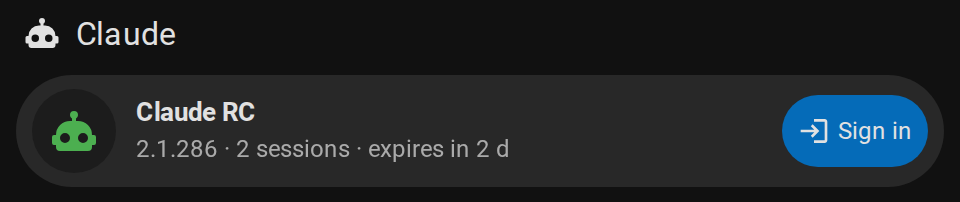
A still. The live version of this figure needs JavaScript.
The second opening pressed the button again, and the relay refused: a login was already waiting for its code. For a while, that refusal went only to the NAS’s own log. I counted seven presses in twenty minutes, all refused, none visible on the phone: the button did nothing and said nothing. Now every refusal is published with its reason, so Home Assistant always knows why a press did nothing. Untick “publish refusals” to see the old behavior.
What the pop-up shows is a separate decision. While a login is waiting, this refusal adds nothing to the line already on screen (“Approve, then paste the code · 8 min left”), so it stays on the wire. A failed or timed-out sign-in shows its reason, because that’s the one you need. Until this week the pop-up showed the refusal too, as a sentence too long to read on a phone; it scrolled past in the subtitle. An answer you can’t read is another kind of silence.
The sign-in link is retained, so a phone that opens the pop-up later still gets it. When the
login ends, the link has to be taken back, and the obvious way is wrong. An empty retained message
deletes the broker’s copy, which serves the next subscriber correctly and tells the current ones
nothing; Home Assistant keeps showing the last value it heard. Untick the second switch, finish
a sign-in, and watch Home Assistant hold on to a link that now leads to an error page. The relay
publishes the word none instead: a retraction must be a message, because silence can’t
update anyone.
What to take with you
We started from the four ways a dashboard lies, and each section turned one of them into a rule:
- A dashboard is a copy. Know how old it can be, and give a row only to what changes a decision.
- Retain state, never commands or events, so a new subscriber gets the last word and a restart doesn’t replay old orders.
- Silence isn’t health. Give every availability topic a Last Will, and test it by crashing the process, never by stopping it.
- Unknown is a value. Keep
null, empty and zero apart all the way to the pixel, and let gray outrank red. - A button is a promise. Offer it only while something is listening, and answer every press, reason first.
- Retract with a message, because silence tells nobody anything.
All six are one principle applied at different layers: a dashboard is a set of claims about a machine you can’t see, so every claim should be either true or visibly unsure. A healthy-looking card for a dead machine, a green icon over missing data and a live button with nobody behind it are the same failure: a claim nobody is left to retract.
None of this is specific to a NAS or to MQTT. A status page fed by a health check, a phone app showing whether a device is on, a CI badge, a “last synced” label: each is a copy with an age, a silence that can be mistaken for health, and often a button. When you build the next one, render it against nothing first, then crash the thing it describes, and see what it claims.